
- Best suited for: singles aged 18 to 35, international travelers using location spoofing, urban daters seeking rapid meetings, and those who want the largest possible dating pool.
- Not recommended for: users seeking detailed personality compatibility, daters who dislike photo-dominated browsing, or singles living in rural areas who do not want to purchase range extensions.
What is Tinder and how does Tinder work in 2026?
Tinder is the location-based mobile dating app that mainstreamed the card-swipe interface in 2012. Owned by Match Group, the application operates in more than 190 countries and remains the primary discovery platform for young adults, university students, and travelers.
Understanding how Tinder works under the hood requires moving past the outdated myth of the Elo score. In previous years, the platform assigned every account an internal desirability score based on how many people liked or disliked them. In 2026, the app uses a dynamic behavioral matching system:
- Dynamic activity scoring. The algorithm tracks real-time engagement. Profiles that log in consistently, exchange multi-turn conversations, and maintain low ghosting ratios receive priority placement in the discovery feed.
- Vector-based profile analysis. Modern neural networks examine not just user tags, but actual image metadata and bio semantics to group users by aesthetic styles, recreational habits, and conversational velocity.
- Selective swiping incentives. Users who swipe right indiscriminately on every card have their profile visibility throttled. The algorithm interprets batch swiping as bot behavior, dropping the user’s card to the bottom of local queues.
The matching dynamic remains straightforward. When two users mutually swipe right on each other’s cards, a match forms, creating an encrypted direct channel in the conversation hub.
Also worth reading: eHarmony Review (2026): Cost, Compatibility, and Real Results
Account registration, login, and technical account management
Getting set up on the platform can be completed on mobile or through Tinder online via a standard desktop browser.
Tinder sign up and Tinder login
- Account creation. Download the application from the iOS App Store or Google Play, or visit the official desktop portal. You can register using an SMS phone verification code, an Apple ID, or a verified Google account.
- Initial verification. Every account must pass through immediate automated bot-screening, which prompts new users to complete an interactive visual puzzle or confirm identity via two-factor SMS authentication.
- Profile construction. Users must upload at least two photos, select their biological sex or gender identity, set dating orientation preferences, and declare their birth date.
How to change name on Tinder
Tinder does not allow users to manually edit their legal first name or display name in the profile settings after registration. Because names are tied to identity verification and fraud prevention, your options are limited:
- If you signed up through a linked third-party account (like Facebook or Google), updating your legal first name on that parent account sometimes forces a synchronization update on Tinder.
- If you registered directly via your phone number, the only way to change your display name is to delete your existing profile entirely, register a fresh account, and enter the correct spelling during initial onboarding.
Discover even more checked European dating sites for real connections.
How to change age on Tinder
Age is hard-locked upon registration to prevent age-fraud, minor exploitation, and demographic deception:
- You cannot alter your birth date in the general settings menu.
- If you mistyped your age during sign-up, you must permanently delete your profile and start over from scratch. Entering a falsified birth date that conflicts with ID verification checks can trigger a permanent account ban.
Tinder profile optimization blueprint: Bios, photos, and openers
Because Tinder operates on split-second visual judgments, sub-par photo rendering and generic text will destroy your inbound conversion rates.
Why do my pictures look blurry in Tinder preview?
A frequent technical headache for users is degraded photo resolution. This occurs because the platform's compression engine aggressively downsizes images to optimize feed loading speeds on mobile data. To fix blurry uploads:
- Aspect ratio. Crop your images manually to an exact 9:16 vertical ratio or 4:5 portrait ratio before uploading. If you upload a square 1:1 photo, the client forcibly zooms in on the image, causing pixelation.
- Resolution sweet spot. Export your photos at a width of 1080 pixels and a height of 1350 pixels (or 1920 pixels for full vertical cards). Anything higher than 2500 pixels gets crushed by Tinder's compression tool.
- Color profiles. Save all image assets using the sRGB color profile. If you export using Adobe RGB or ProPhoto RGB, the mobile client often misinterprets the color gamut, resulting in washed-out skin tones and muted contrast.
Tinder profile templates and witty bio formulas
A successful bio provides conversational hooks without reading like a resume. Avoid empty lists of adjectives. Instead, use tested structural formulas:
- The two-truth split. Two real lifestyle habits paired with an absurd claim. It gives prospective matches an immediate, effortless question to ask in their opening message.
- The controversial take. A low-stakes, humorous culinary or cultural stance (for example: "I will judge your character entirely based on whether you order pineapple on pizza or put ketchup on eggs").
- The weekend snapshot. A concrete description of what an average Saturday afternoon looks like, highlighting an active hobby (for example: "Half-marathon training in the morning, hunting down the best espresso in the city by afternoon").
Best Tinder opening lines and conversation starters
Sending "Hey," "Hi," or a waving emoji will result in unanswered chats in over 85% of matches. High-response conversation starters reference visual or textual context:
- Detail-driven openers. Spot a specific background item in their photo: "Is that the hiking trail outside Banff, or did you tackle the coastal route?"
- Low-pressure hypotheticals. "Quick check: are we grabbing a street taco on a walk, or debating music playlists over an espresso?"
- Playful observation. Comment on a prompt: "Your travel bio says five countries this year. Which one had the absolute worst food?"
Algorithmic mechanics: Likes, filters, and discovery
Understanding the rules of the card deck keeps you from wasting daily swipes.
How many likes do you get on Tinder and when do Tinder likes reset?
Free accounts operate under a strict, dynamic daily like cap. In 2026, non-paying users receive approximately 50 to 100 right swipes every 24 hours. The exact number fluctuates based on account age, swipe velocity, and regional user density.
The swipe limit does not reset at midnight. It operates on a rolling 24-hour cooldown timer from the moment you run out of swipes. If you exhaust your allowance at 7:00 PM, your new allocation of likes will not unlock until 7:00 PM the following evening.
Search and visibility: Can you search people on Tinder?
There is no open directory search bar on Tinder. You cannot type in an individual's real name, username, or phone number to pull up their dating card. The platform is designed around proximity feeds. To encounter a specific individual organically:
- Narrow your geographic radius down to 1 or 2 kilometers around their known location.
- Match their exact age range in your discovery settings.
- Expand and contract your preferences until their profile card surfaces in your deck.
Does Tinder notify screenshots or read receipts?
- Screenshot privacy. Tinder does not notify other users if you take a screenshot of their profile, photos, or private chat conversation. There is no alert system comparable to Snapchat.
- Read receipts. The platform does not display read receipts on free accounts. Read receipt tracking is a premium microtransaction feature that can be purchased in credit packs or unlocked via higher-tier memberships.
Safety, verification, and privacy tools
Security tools have grown increasingly sophisticated to counter bot syndicates and catfish accounts.
Selfie verification: Tinder selfie under review
To earn a verified blue checkmark, users must complete a live video or selfie verification prompt. The client directs you to copy specific facial angles (turning your head left, right, or smiling) in real time.
- How long does Tinder selfie review take? The automated system typically processes and approves verification selfies within 15 minutes to 2 hours. If your account is flagged for manual human review, the process can take between 24 and 48 hours.
- Rejection causes. Poor lighting, wearing hats, tinted sunglasses, or uploading profile photos that look drastically different from your live selfie will trigger a verification failure.
Incognito mode and Passport mode
- Incognito mode. Available to premium subscribers, this privacy toggle hides your card from the general public discovery deck. Your profile becomes visible only to people you have already swiped right on, preventing coworkers, friends, or family members from stumbling across your account.
- Passport mode. A location-spoofing utility that lets users search anywhere in the world by dropping a virtual pin in any city. It allows travelers to arrange dates, meet locals, and set up conversations before boarding a flight.
Common Tinder scams to avoid
- Cryptographic and investment schemes. Matches who quickly steer conversations toward financial independence, forex trading, or crypto assets are automated accounts or organized fraud rings.
- Third-party identity verification links. Fraudulent matches claim they need you to click a link to complete an "external safety check" before meeting. These phishing links steal credit card numbers.
- Premature off-platform requests. Scammers almost immediately ask to move to WhatsApp, Snapchat, or encrypted messengers within two messages to avoid Tinder's automated chat monitoring filters.
Subscriptions and pricing: Is Tinder free or should you pay?
Tinder operates on a layered freemium model. While basic matching and direct chatting are completely free, Match Group heavily restricts free utility to encourage subscription upgrades.
| Plan tier | Core features included | Approximate monthly rate | Best suited for |
| Free guest | Daily limited swipes, basic proximity matching, standard text chat | $0.00 | Casual users, patient daters in dense urban centers |
| Tinder Plus | Unlimited likes, unlimited rewinds, passport mode, zero display ads | ~$7.99 – $14.99 / mo | Frequent travelers wanting to swipe ahead of arrival |
| Tinder Gold | Everything in Plus, plus "Likes You" gallery, monthly Free Boost, weekly Super Likes | ~$24.99 – $39.99 / mo | Busy professionals who want to skip the swipe deck |
| Tinder Platinum | Everything in Gold, plus message before matching, priority likes, read receipts | ~$29.99 – $49.99 / mo | Users who want their cards shown first to popular profiles |
Feature breakdown: Is Tinder Gold worth it?
Tinder Gold remains the most popular paid upgrade because of a single feature: the "Likes You" grid. Instead of spending 30 minutes swiping blindly through cards, Gold reveals an unblurred feed of every user who has already swiped right on your profile. You can tap their card to instantly form a match. If you value your time and live in an area with high user density, Gold pays for itself quickly.
Standalone boosts and Super Likes
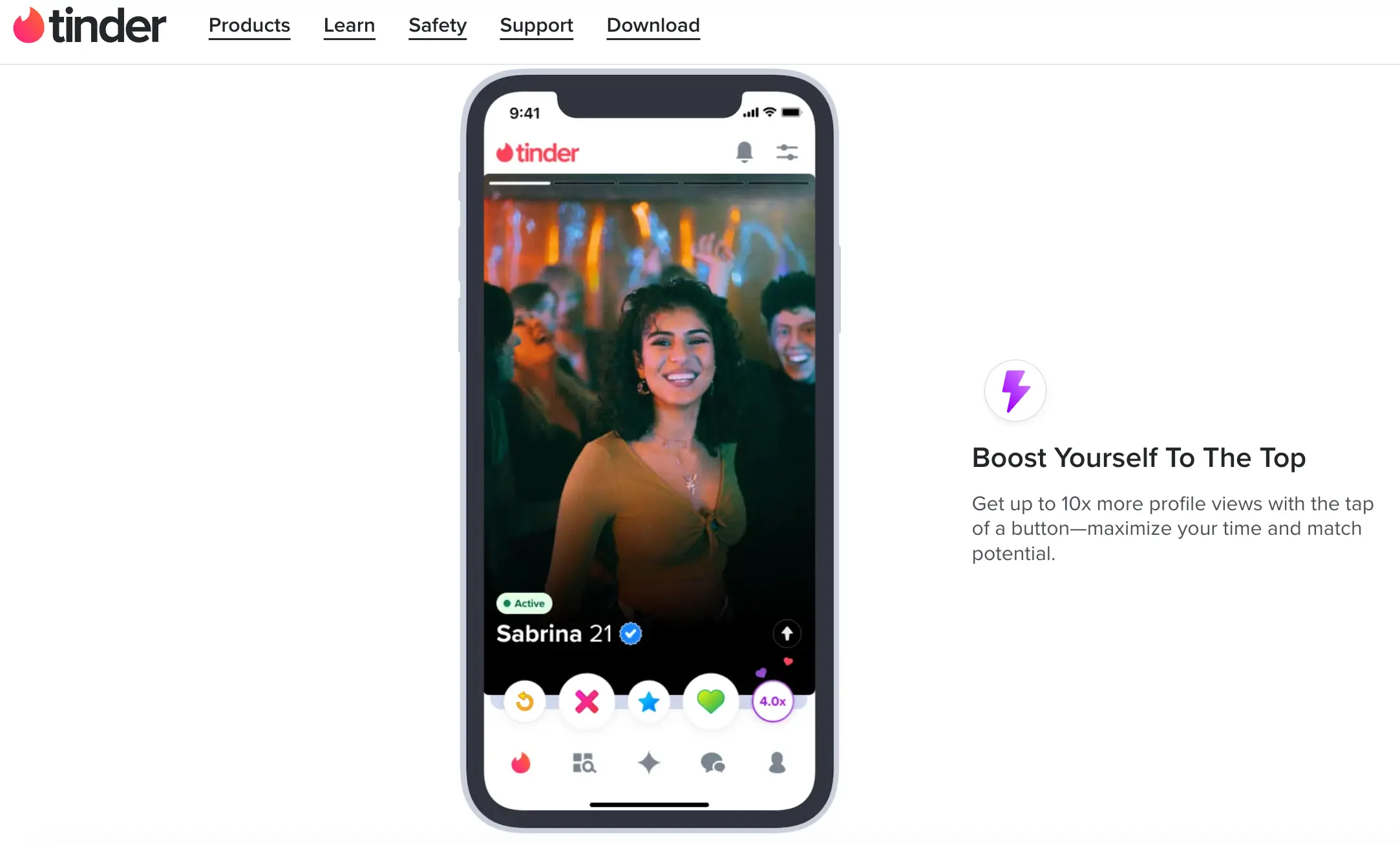
- Boost. Pushes your profile card to the top of local discovery queues in your area for 30 minutes. Most effective during peak app usage windows (Sunday and Thursday evenings between 8:00 PM and 10:30 PM).
- Super Like. Sends a card with a bright blue border and an instant notification, signaling strong interest before the other person makes their swipe decision.
Competitor showdown: How Tinder compares to Hinge and Bumble
| Feature / Metric | Tinder | Hinge | Bumble |
| Primary user intent | Casual dating, travel, open-ended connections | Serious dating, long-term relationships, marriage | Modern dating, networking, intentional relationships |
| Core interaction model | Rapid card swipe | Interactive photo and text prompts | Female-first messaging mechanic |
| Free messaging model | Mutual match text chat | Free message with each outgoing like | Free chat once the woman initiates |
| Profile depth | Visual-first, concise bios | Deep lifestyle prompts, audio notes, video polls | Moderate prompts, lifestyle and exercise badges |
| Demographic skew | Broadest age mix (18–45+) | Professionals aged 24–38 | Educated singles and urbanites aged 22–40 |
- Tinder vs Hinge. Choose Hinge if you want a committed relationship and prefer starting conversations around specific prompts or shared values. Choose Tinder if you prioritize match volume, travel flexibility, and an active discovery feed.
- Tinder vs Bumble. Bumble requires women to send the first message within 24 hours of matching, which eliminates low-effort intros from men but introduces expiration pressure. Tinder gives both participants equal power to start conversations at their own pace.
Account bans, shadowbans, and Tinder customer support
Tinder enforces strict automated terms of service. Account bans are tied to device hardware IDs, IP subnets, and phone numbers.
The reality of the Tinder shadowban
A shadowban occurs when an account appears fully functional to the user, but their profile card is silently hidden from everyone else in the public deck. Symptoms include dropping from several matches a week to zero, unreturned likes, and non-responsive chats.
- Causes of shadowbans. Rapid resetting of your account (deleting and recreating profiles repeatedly within a few days), abusive reporting from other users, using third-party auto-swiping extensions, or running location-spoofing software.
- How to fix a shadowban. You cannot simply log out and back in. You must either wait out an algorithmic cooldown (30 to 90 days of inactivity) or execute a clean reset: registering with a new phone number, new Apple/Google ID, new IP network, and fresh image files with clean EXIF data.
Tinder ban appeals and getting unbanned
If you receive an explicit ban notification when logging in:
- Access the official Tinder help center appeal portal via appeals.tinder.com.
- Enter your account credentials and review the stated policy violation.
- Submit a formal appeal explaining your position clearly and objectively.
- If your appeal is rejected by human moderation, the decision is permanent. Tinder customer service will not overturn bans related to harassment, hate speech, or verified identity fraud.
Tinder account maintenance: Pausing, canceling, and deleting
Managing your account cleanly ensures you are not billed repeatedly after leaving the dating pool.
How to pause or deactivate your Tinder account
If you want to take a break without losing your matches or chat history:
- Open the app and tap your profile icon.
- Select the Settings gear icon.
- Scroll to the discovery section and toggle off Show me on Tinder.
- Your card will vanish from the public swipe queue, but your existing matches can still message you, and your profile remains saved.
How to cancel a Tinder subscription
Uninstalling the app does not cancel recurring credit card charges. Subscriptions must be cancelled through the channel where they were purchased:
- Apple iOS. Open iPhone Settings > Tap your Apple ID name > Subscriptions > Select Tinder > Tap Cancel Subscription.
- Google Play. Open Google Play Store > Tap Profile Icon > Payments and subscriptions > Subscriptions > Cancel Tinder.
- Desktop Web. Log in on tinder.com > Tap your profile icon > Manage payment account > Cancel auto-renew.
How to delete a Tinder account permanently
- Open the application or desktop portal and go to Settings.
- Scroll to the absolute bottom of the menu and tap Delete account.
- Select Delete my account (avoid the prompt to simply pause your profile).
- Select your reason for departure from the dropdown list.
- Confirm deletion. All matches, chat threads, photos, and verification badges will be purged from active servers.
Is Tinder worth it in 2026?
Tinder remains worth your time if you approach it with realistic expectations about modern dating app mechanics. If you expect effortless matches with two low-effort mirror selfies and an empty bio, the current algorithm will leave you disappointed. However, if you treat the app as a visual portfolio — maintaining clean photos, using conversational openers, and taking advantage of features like Tinder Gold to streamline your search — it provides an unmatched volume of active singles that no competitor can replicate.