
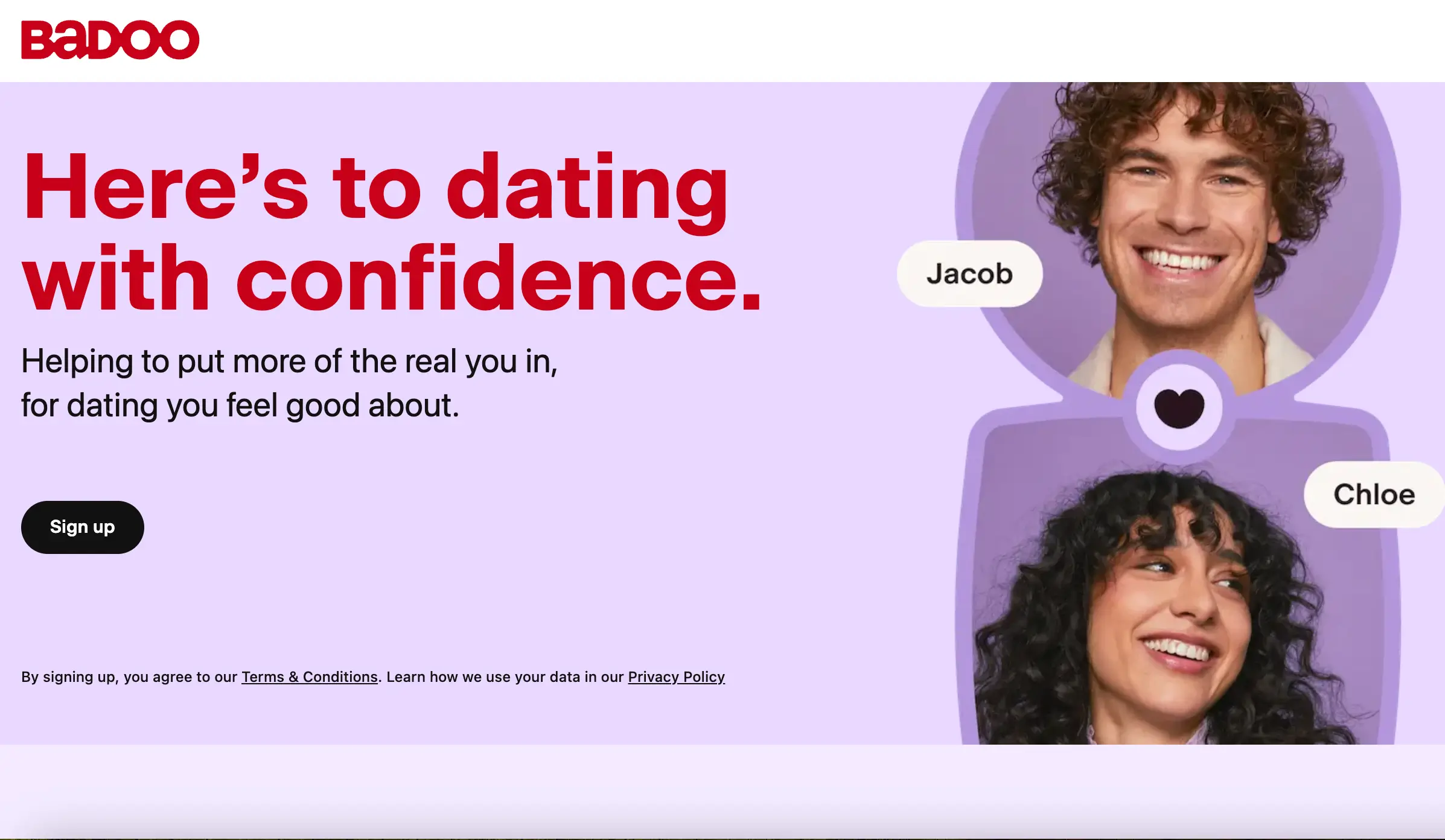
With hundreds of millions of registrations worldwide across 190 countries, Badoo operates under Bumble Inc. as a hybrid between a traditional dating site and a social discovery radar. While sister app Bumble focuses on female-led matching, Badoo provides equal-access discovery across both desktop web (badoo.com) and mobile applications. Its primary draw continues to be sheer user density outside tier-1 capitals and a dual-discovery engine combining swipe mechanics with live proximity search.
How Badoo works: platform interface and matching mechanics
The overall Badoo app interface is clean, responsive, and easy to navigate. Once you log in, the platform divides your activity into four primary sections: Encounters, People Nearby, Chat/Messages, and Profile Settings.
1. The Encounters Deck (Swipe Feed)
The Encounters screen is the classic swipe mechanism common to modern dating apps:
- Profiles appear as full-screen cards displaying the user’s primary photo, name, age, verified badge status, and distance in kilometers or miles.
- Tapping on the card opens additional photos, self-written bios, prompt responses, lifestyle badges (smoking, drinking, exercise, pets, zodiac), and languages spoken.
- Swiping right (or tapping the Heart icon) registers a like. Swiping left (the Cross icon) passes.
- When two members like each other’s profiles, a mutual match screen triggers, opening an instant Badoo chat thread.
2. People Nearby (The Proximity Radar)
The People Nearby section sets this platform apart from swipe-only services:
- Instead of showing one candidate at a time, this tool displays a responsive photo grid of active users in your immediate vicinity.
- Users can sort the grid by proximity, age range, gender, and relationship intention.
- Each card indicates how close the person is and whether they are online right now.
- Tapping a profile in the grid lets you view their details directly. Free users can send a direct interest signal, while paid members or credit users can send immediate direct messages without waiting for an initial match.
Also worth reading: Match.com Review: Is the Pioneer of Online Dating Still Worth Paying For?
3. The Badoo Chat Screen and In-App Interaction
The Badoo chat screen offers practical tools designed to move conversations forward and verify who is behind the screen:
- Text Messaging. Instant messaging with delivery and read receipts.
- Audio Notes. Built-in voice message recording allows daters to share short audio snippets, making initial conversations more personal.
- In-App Video Calling. Active matches can launch a direct video call without exchanging personal phone numbers, WhatsApp accounts, or social media handles. The app only allows video calls once both parties have exchanged at least one text message, preventing unsolicited video calls.
- Safety Privacy Filters (Private Detector). The platform uses machine-learning moderation to detect unsolicited explicit imagery in chat. Explicit photos are automatically blurred with a warning, giving the recipient the choice to view or block the content immediately.
- Virtual Gifts. Small animated tokens purchased with credits to capture attention in high-volume inboxes.
Discover other trustworthy dating sites in Europe for 100% matches.
Pros and cons: Is Badoo worth it?
Advantages
- Extensive Local Database. Unmatched user density across mid-sized and smaller regional cities where niche services have few members.
- Dual Discovery Models. Choose between rapid photo swiping in Encounters and radius-based grid browsing in People Nearby.
- Functional Free Tier. Real messaging with mutual matches without mandatory paid subscriptions.
- Photo Verification Checks. Reliable blue checkmarks reduce catfish accounts and impersonators.
- Full Desktop Access. The web version matches the functionality of the mobile application.
Disadvantages
- Interface Commercials. Free accounts encounter ads and frequent prompts to purchase credit boosts.
- Shallow Profiles. Bios are generally short, meaning match decisions rely heavily on profile photos rather than detailed lifestyle questionnaires.
- Broad Dating Intentions. Because the audience is diverse, you will encounter a mix of casual hookups, friendships, and serious daters, requiring careful filtering.
- Daily Swipe Caps for Free Users. Non-paying members encounter daily limits on outgoing likes.
Account registration, sign-in, and installation guide
Getting started takes only a couple of minutes across desktop or mobile devices.
1. Badoo Sign Up (New Accounts)
To create a new profile:
- Open the mobile application or go to the Badoo official website at badoo com.
- Select your preferred registration method:
- Phone number (SMS confirmation code)
- Email address (email confirmation link)
- Single sign-on via Google, Apple ID, or Facebook
- Enter your basic details: first name, date of birth (must be 18 or older), gender, and your current location.
- Upload at least two clear portrait photos. The system prioritizes profiles with clear, front-facing images.
- Select your dating intention: "Ready for a relationship," "Open to chat," or "Here for casual dates."
2. Badoo Login / Badoo Sign In (Returning Users)
To sign back into your account:
- On the mobile app, tap the Badoo log in button. If you use iOS or Android, you can sign in using biometric authentication (Face ID or fingerprint scanner).
- On desktop, navigate to the Badoo login page on badoo.com, enter your registered email or phone number, and type your password.
- If you signed up through a third-party service, click "Continue with Google" or "Continue with Apple" for one-click access.
3. Badoo App Download Options
- iOS: Download the official app from the Apple App Store by searching for "Badoo." Look for the white and purple heart icon.
- Android: Search for "Badoo Dating App" on Google Play to install the verified release.
- Badoo APK: For devices without Google Play access, official APK files are available via trusted third-party repositories. Make sure you only download the package from verified sources to prevent malware.
Free vs. Badoo Premium: features, add-ons, and costs
The platform operates on a freemium model. Unlike platforms that put the entire messaging system behind an upfront paywall, this service allows users to browse profiles, match, and message on a basic tier, while selling upgrades to accelerate visibility.
What you can do for free
- Register an account, upload photos, and complete your bio.
- Swipe through a set daily allowance of profiles in Encounters.
- Browse active users in your area using People Nearby.
- Exchange unlimited text messages with mutual matches.
- Complete photo verification to earn the blue badge.
- Use the in-app video calling feature with connected matches.
Badoo premium features
Upgrading to Badoo Premium removes daily limits and unlocks practical discovery shortcuts:
- Liked You Folder. See everyone who swiped right on your profile without having to find them in the swipe deck first.
- Invisible Browsing. Browse profiles and explore People Nearby without appearing in other users' visitor lists.
- Undo Accidental Passes. Rewind your last left swipe if you accidentally passed on someone you liked.
- Highlight Messages. Your messages go straight to the top of popular users' inboxes with priority delivery.
- Unlimited Daily Likes. Swipe without reaching a daily cap in the Encounters section.
- Ad-Free Experience. Removes all third-party banner ads and promotional pop-ups.
Badoo extra and credit packages
In addition to subscriptions, the platform offers pay-as-you-go microtransactions:
- Crush / Direct Message. Send a note to someone before matching to stand out from other suitors.
- Get Featured. Place your profile photo in the top bar of the People Nearby feed in your city for quick exposure.
- Rise Up. Boost your profile to the top of local search results during peak evening hours.
Pricing breakdown
| Plan / Option | Duration / Volume | Approximate Cost (USD / EUR) |
| Badoo Premium | 1 Week | $5.99 – $8.99 / €5.99 – €8.99 |
| Badoo Premium | 1 Month | $17.99 – $24.99 / €17.99 – €24.99 |
| Badoo Premium | 3 Months | $41.99 – $49.99 / €39.99 – €46.99 |
| Badoo Premium | 6 Months | $64.99 – $74.99 / €59.99 – €69.99 |
| Credits Pack | 100 Credits | $2.99 / €2.99 |
| Credits Pack | 550 Credits | $9.99 / €9.99 |
| Credits Pack | 1,250 Credits | $19.99 / €19.99 |
Note: Pricing varies by region, currency, device operating system, and ongoing promotional discounts.
Safety, verification, and scam protection
Because the service is free and has hundreds of millions of registrations worldwide, fake profiles, bots, and commercial solicitations exist on the platform. However, the company has integrated straightforward safety tools to help users avoid bad actors.
1. The selfie verification system
The platform uses an automated pose-verification feature:
- The app displays a reference image of a model making an arbitrary gesture (such as raising three fingers or touching an ear).
- The user captures a live selfie copying that exact gesture.
- Automated facial detection software verifies the selfie against existing profile pictures.
- Once approved, a blue checkmark badge appears next to the user's name on their profile card.
Users can set their incoming chat filters to Verified Profiles Only, ensuring that unverified accounts cannot send them messages.
2. Real-time photo detection
The built-in "Private Detector" algorithm flags sexually explicit pictures in the chat feed, blurring them before they open. The recipient can report the sender, block them, or view the photo voluntarily.
3. Practical safety rules for users
- Stick to the Blue Checkmark. Prioritize interactions with accounts displaying the verified selfie badge.
- Use In-App Video Calls Early. Before meeting someone offline or sharing your phone number, request a quick two-minute video chat inside the app to verify their appearance.
- Never Transfer Money. Dating platforms should never involve financial assistance, travel money requests, or cryptocurrency investment tips. Report any profile bringing up financial topics immediately.
- Public First Meetings. Meet for coffee, an afternoon walk, or an evening drink in a busy public place, and arrange your own transportation.
How to delete a Badoo account permanently
If you want to take a break or have found a partner, closing your profile takes less than a minute.
Step-by-Step Deletion via Mobile App
- Open the app and tap your Profile icon in the bottom navigation bar.
- Tap the Settings gear icon in the top left or top right corner.
- Select Account (showing your verified phone or email).
- Tap Delete Account at the bottom of the screen.
- The app will offer alternatives (such as hiding your profile, turning off notifications, or claiming a temporary free trial). Keep selecting Delete your account.
- Choose a reason for leaving (e.g., "I met someone" or "I want a fresh start").
- Enter your account password to confirm. Your profile will be deactivated immediately and removed from public search.
Step-by-Step Deletion via Desktop Browser
- Log into your account on the Badoo website (badoo.com).
- Click your profile image in the top-left corner to access your settings.
- Click the Settings gear icon in the top-right corner of the profile view.
- Scroll to the bottom of the settings page and click the Delete Account link.
- Confirm your password and click submit.
Note: The service maintains a 30-day recovery window. If you accidentally delete your account, you can recover your matches and profile data by clicking the restoration link sent to your registered email address within 30 days.
Badoo vs. Top competitors
| Feature | Badoo | Tinder | Bumble | Meetic / Match |
| Best For | Local discovery & casual chats | Fast casual dating | Female-led dating & networking | Serious relationships |
| Discovery Style | Swiping + Local Radar Grid | Swiping only | Swiping only | Detailed parameter search |
| Free Chatting | Yes (Mutual matches) | Yes (Mutual matches) | Yes (Mutual matches, 24h timer) | Very limited / Paid |
| Desktop Web Version | Yes (Feature-complete) | Yes | Yes | Yes |
| Average Pricing | Affordable ($18–$25/mo) | Moderate ($15–$30/mo) | Moderate ($20–$35/mo) | Premium ($30–$45/mo) |
| Audience Profile | Mass market, all backgrounds | Younger singles, students, urbanites | Educated professionals, expats | Relationship-oriented singles 28+ |
How to optimize your Badoo profile for better results
To maximize your matches and get past superficial swiping, optimize your profile setup:
- Lead with a Clear, Solo Portrait. Your first photo should be a sharp, well-lit portrait without sunglasses, heavy hats, or distracting group shots. Natural daylight works best.
- Complete the Selfie Checkmark Immediately. Profiles with the blue verification badge receive substantially higher response rates because other users know they are communicating with a real person.
- Write a Short, Specific Bio. Avoid generic clichés. Mention your actual hobbies, weekend habits, and what you enjoy doing locally (e.g., "Exploring local bakeries, training for a half-marathon, and catching live indie shows").
- State Your Intentions Clearly. Use the built-in badges to state whether you are looking for serious dating, casual conversations, or new friends. This filters out incompatible matches early on.
- Open with Context. When messaging a match, avoid generic openers like "Hey" or "Hi." Reference a detail from their photo background, an interest tag, or their bio prompts to start a real conversation.
Can you use Badoo completely free without paying?
Yes. You can register, set up your profile, browse through Encounters, view users nearby, match, and exchange text messages with mutual connections without adding a credit card. Paid subscriptions (Badoo Premium) and credit packages simply remove daily limits, unlock ad-free browsing, and show you who liked your profile in advance.
How do I stop recurring Badoo Premium charges?
If you subscribed through an iPhone, manage your cancellation through your Apple ID Subscriptions menu. If you subscribed via Android, cancel the recurring charge inside Google Play Subscriptions. For subscriptions purchased directly on the Badoo website with a credit card or PayPal, open your account settings, select Payment Settings, and turn off auto-renewal before your billing cycle ends.
Is you location tracked accurately on Badoo?
The app uses your device’s GPS coordinates to display your approximate distance to nearby profiles. For privacy and safety, the platform never discloses your exact street address or real-time location on a map; it only displays an approximate distance (e.g., "within 2 km") or your general neighborhood/city.